
Building Your Personal Tool Stack
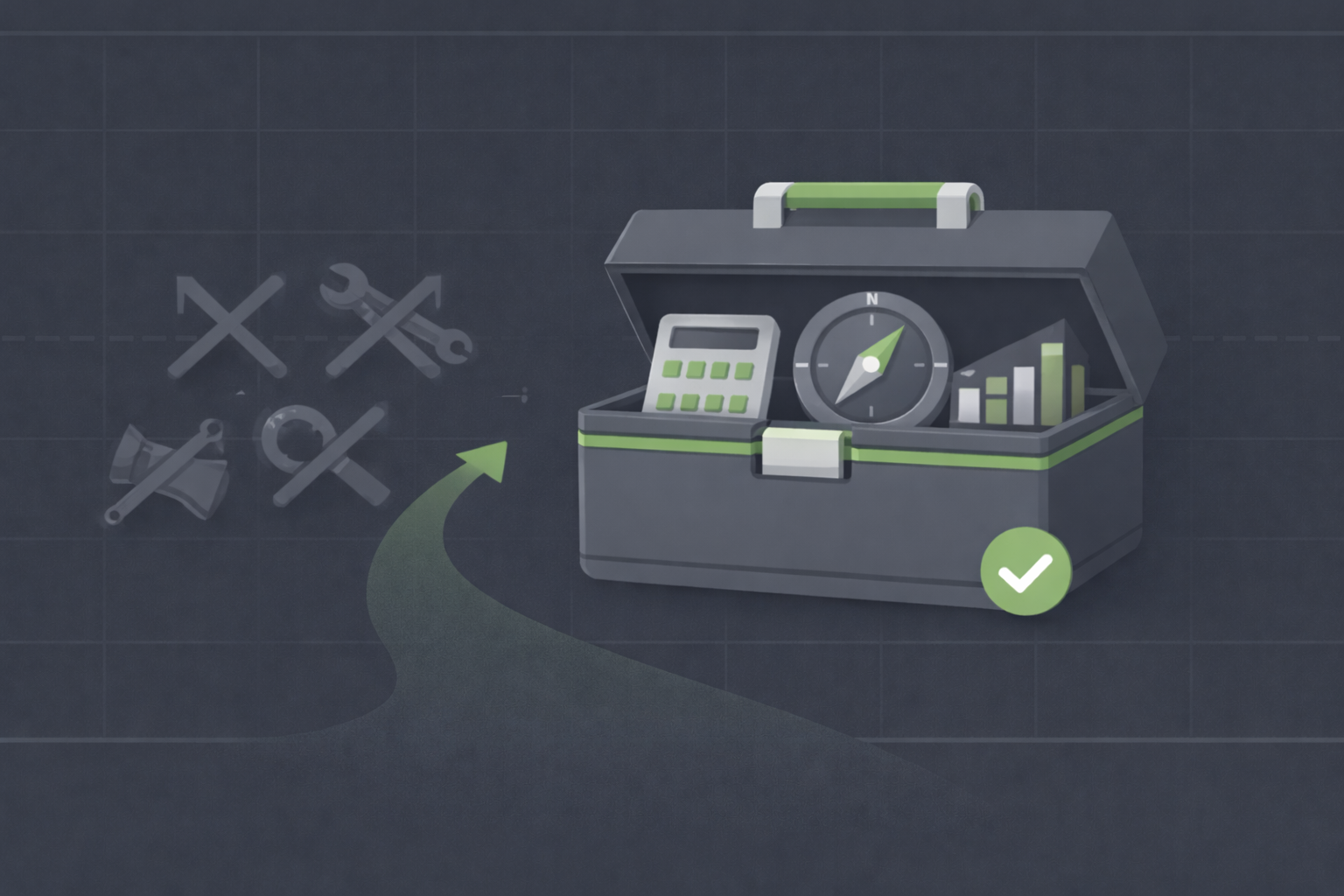
Every investor needs tools, but not every tool is worth using. The best tool stack is small, focused, and aligned with your strategy. If you're a value investor who occasionally uses options, you don't need 15 platforms, five screeners, and daily market alerts. You need a broker, a valuation calculator, a watchlist tracker, and maybe one charting tool. More tools create complexity; focused tools create clarity.
TL;DR
- Start minimal: Broker + valuation tool + spreadsheet for tracking. Add tools only when you feel a specific gap
- Match tools to strategy: Value investors need fundamentals-focused tools (screeners, valuation models), not day-trading platforms with millisecond quotes
- Free beats expensive: Most paid tools add noise, not insight. Free resources (Yahoo Finance, TradingView, broker tools) cover 90% of needs
- Avoid tool hopping: Switching platforms every month wastes time. Pick tools, learn them deeply, and stick with them for at least a year
- Test before committing: Use free trials or basic versions for 30-60 days before paying for premium features
Why Most Tool Stacks Are Bloated
The investment tool industry sells complexity. "Upgrade to premium for real-time data!" "Unlock our AI-powered screener!" "Get exclusive alerts with our Pro plan!" These pitches prey on fear of missing out.
Value investors don't need real-time data. You're buying businesses to hold for years, not trading minute-by-minute price swings. You don't need AI stock pickers, you need to understand earnings, cash flow, and competitive advantages. You don't need 50 alerts per day, you need 3-5 triggers that matter: entry price, earnings date, high volatility.
A bloated tool stack creates three problems:
- Decision fatigue: Too many dashboards, alerts, and metrics make you overwhelmed instead of informed
- Cost creep: $10/month here, $30/month there. Suddenly you're paying $500/year for tools you barely use
- Distraction: More tools mean more time maintaining them (logging in, updating, syncing) and less time analyzing businesses
The best tool stack is invisible. It works in the background, surfaces the information you need when you need it, and stays out of your way the rest of the time.
The Essential Tool Categories
Every value investor needs coverage in five areas: brokerage, research/analysis, tracking, education, and optional (options/charts). Let's break down what matters in each.
1. Brokerage Platform (Non-Negotiable)
This is where you buy, sell, and hold stocks and options. Your broker determines costs (commissions, fees), available assets (stocks, options, bonds), and research tools.
What to look for:
- Low or zero commissions: Most major brokers (Fidelity, Schwab, E*TRADE, Interactive Brokers) charge $0 for stock trades. Options cost $0.50-$0.65 per contract
- Options support: If you plan to sell covered calls or cash-secured puts, verify the broker supports these strategies without complex approvals
- Research tools: Built-in screeners, earnings calendars, and basic charting save you from needing third-party tools
- Mobile app: You'll check positions on the go. The app should be simple, fast, and show key data (account value, positions, pending orders)
- Customer service: When things go wrong (assignment confusion, margin issues), you want responsive support
Good options:
- Fidelity: Great research tools, excellent customer service, zero commissions
- Interactive Brokers: Best for active option traders, low margin rates, powerful platform (but steeper learning curve)
- Schwab: Solid all-around choice, good research, easy-to-use interface
- Webull or Robinhood: Fine for simple stock buying, but limited research tools and options approval can be slower
Pick one broker, open an account, and learn its tools deeply. Don't split your portfolio across three brokers "for diversification," it complicates tracking and taxes.
2. Research and Valuation Tools (Core)
This is where you analyze businesses and calculate intrinsic value. You need tools to screen for undervalued stocks, read financial statements, and estimate fair value.
What to look for:
- Fundamental screeners: Filter stocks by P/E, debt-to-equity, free cash flow, earnings growth, and market cap
- Financial data access: Quick access to income statements, balance sheets, and cash flow statements
- Valuation models: Tools to calculate earnings yield, discounted cash flow, or payback time without building complex spreadsheets
Good options:
- Yahoo Finance (free): Basic financials, earnings calendars, screener with fundamental filters. Enough for 80% of value investors
- Finviz (free with premium option): Powerful screener with visual layouts. Free version is excellent; premium adds real-time data (rarely needed)
- Wall St Yardie (https://app.wallstyardie.com): Focused on value investing with pre-built models for discounted growth, cap rate, and payback time. Simplifies valuation without spreadsheets
- Seeking Alpha (free with premium option): Good for reading earnings transcripts and analyst commentary. Free version is sufficient
- Morningstar (free with premium option): Strong fundamental data and moat analysis. Free tier covers most needs
Start with free tools. Upgrade only if you consistently hit their limits (e.g., need more screener filters or deeper historical data).
3. Portfolio Tracking (Important)
You need to know what you own, what it's worth, and how it's performing. Your broker shows current positions, but you also want to track:
- Overall portfolio allocation (% in each stock, cash reserves)
- Cost basis and unrealized gains/losses
- Option positions (strikes, expirations, premiums collected)
- Historical performance (annualized returns, compared to benchmarks)
Good options:
- Google Sheets or Excel (free): Simple, flexible, and you control everything. Template idea: one tab for stocks (ticker, shares, cost basis, current value), one for options (strike, expiration, premium, status), one for performance tracking
- Personal Capital (free): Automatically syncs with your broker, shows allocation and performance. Great for passive tracking
- Yahoo Finance Portfolio (free): Manual entry, but clean interface and easy to use
- Sharesight or Morningstar (paid): Advanced tracking with tax reporting and detailed analytics. Overkill for most value investors unless you have complex portfolios
Start with a spreadsheet. It's free, teaches you what matters, and you can customize it exactly to your workflow. Upgrade to automated tools only if manual entry becomes a burden.
4. Learning Resources (Ongoing)
You need a steady flow of high-quality education: books, articles, courses, podcasts. This doesn't require expensive subscriptions.
Good options:
- Books (library or used): The Intelligent Investor, The Essays of Warren Buffett, The Dhandho Investor. Borrow from your library or buy used on Amazon
- Berkshire Hathaway annual letters (free): Timeless lessons from Warren Buffett, released every February
- Wall St Yardie blog and guides (free): Articles organized by pillar (fundamentals, strategies, psychology)
- YouTube (free): Channels focused on value investing (avoid hype-driven "stock pick" channels). Look for deep dives on business analysis and valuation
Avoid expensive courses or subscriptions promising "secret strategies." Quality learning is almost always free or cheap.
5. Optional: Charting and Options Tools
If you're using options or want better chart analysis, you might add specialized tools. But these are optional, not essential.
Charting:
- TradingView (free with premium tiers): Clean charts, easy to add moving averages and trendlines. Free version is enough for value investors
- Your broker's charting tool: Most brokers offer basic charting. Learn it first before paying for third-party tools
Options analysis:
- OptionStrat (free): Visualize option strategies (covered calls, cash-secured puts) with risk/reward diagrams. Great for planning
- Thinkorswim (free with TD Ameritrade account): Powerful options platform with Greeks, IV analysis, and backtesting. Steep learning curve
- Your broker's options chain: Learn to read bid/ask, open interest, and implied volatility directly from your broker. It's free and sufficient for most strategies
Only add these if you're actively using options or find yourself needing better chart analysis. Otherwise, stick with the core stack.
Building Your Stack: A Step-by-Step Process
Don't start by downloading 10 tools and signing up for 5 subscriptions. Build your stack gradually based on real needs.
Step 1: Start with the essentials (Week 1-4)
- Open a brokerage account (Fidelity, Schwab, or Interactive Brokers)
- Set up a simple tracking spreadsheet (stocks, cost basis, current value)
- Use Yahoo Finance for quick fundamental checks (earnings, P/E, debt)
That's it. This covers 80% of value investing needs: buy stocks, track them, check fundamentals.
Step 2: Add screening and valuation (Month 2-3)
- Add Finviz or Yahoo Finance screener to find undervalued stocks
- Use Wall St Yardie or build a simple valuation model in your spreadsheet (earnings yield, discounted cash flow)
Now you can systematically find and value stocks, not just react to tips or headlines.
Step 3: Layer in options or charting (Month 4-6, if needed)
- If you start selling covered calls or cash-secured puts, add OptionStrat to visualize strategies
- If you want better entry timing, add TradingView for chart analysis
Only add these if you're actually using options or feeling like you need better chart data. Many value investors never need these tools.
Step 4: Refine and cut (Month 6-12)
- Review your tool stack. Which tools do you actually use weekly? Which are gathering dust?
- Cancel subscriptions or delete accounts for tools you haven't used in 60 days
- Double down on the 2-3 tools that deliver the most value
By month 12, you should have a tight stack: broker + screener + valuation tool + tracking spreadsheet, maybe a charting or options tool if you use them regularly. That's it.
Avoiding Tool Hopping
New investors jump from tool to tool, chasing the "perfect" platform. "This screener is better!" "That broker has cooler charts!" This wastes time and prevents deep learning.
Every tool has a learning curve. It takes 30-60 days to learn shortcuts, understand quirks, and build a workflow. If you switch tools every month, you're always a beginner.
Commit to 12 months: Pick your broker, screener, and tracking method. Use them for a full year before considering changes. By month 12, you'll know them inside out and can make an informed decision about whether to switch.
Exceptions: Only switch early if:
- Your broker charges high fees or has terrible customer service
- A tool is consistently buggy or unreliable
- You've outgrown a tool's capabilities (e.g., free screener limits you to 10 searches per day, and you need more)
Otherwise, resist the temptation to chase shiny new tools.
Free vs. Paid: When to Upgrade
Most paid tools are unnecessary. Brokers charge $0 commissions. Yahoo Finance and Finviz offer excellent free screeners. Spreadsheets are free and infinitely customizable. You can build a world-class value investing practice without paying for subscriptions.
When to consider paid tools:
- Historical data needs: If you're backtesting strategies over 10+ years and free sources don't go back far enough
- Advanced screeners: If you consistently hit free tier limits (too few filters, too few results)
- Professional-grade options analysis: If you're managing a large portfolio with dozens of option positions and need advanced Greeks tracking
Even then, start with free trials. Most premium tools offer 7-30 day trials. Use them to confirm the paid features actually solve a problem you have, not just provide "nice to have" extras.
Red flag: If a tool's marketing emphasizes "exclusive access" or "insider secrets," it's probably not worth it. Quality tools sell themselves on features and usability, not hype.
What Could Go Wrong?
- Tool paralysis: You spend hours comparing platforms instead of analyzing businesses. Pick something "good enough" and move on
- Subscription creep: Small monthly fees add up. Review subscriptions quarterly and cancel anything you haven't used in 60 days
- Over-reliance on automation: Tools that "auto-pick stocks" or "alert you to the perfect trade" turn off your critical thinking. Use tools to inform decisions, not make them for you
- Ignoring your broker's tools: Many investors pay for third-party screeners or charts while their broker offers the same features for free. Explore your broker's platform first
- FOMO on premium features: Paid tiers often add features you'll never use. Be honest: do you really need real-time data, 50 custom alerts, and AI predictions?
To avoid these traps, follow the "30-day rule:" use a tool's free version for 30 days. Track how often you use it and what value it provides. If you use it at least 3x per week and it solves a real problem, consider upgrading. If not, stick with free or look for alternatives.
Example Tool Stacks by Investor Type
Beginner (first 6 months):
- Broker: Fidelity or Schwab
- Screener: Yahoo Finance (free)
- Tracking: Google Sheets
- Learning: Library books + Berkshire letters
- Total cost: $0/month
Intermediate (6-24 months, adding options):
- Broker: Interactive Brokers or Fidelity
- Screener: Finviz (free)
- Valuation: Wall St Yardie or custom spreadsheet
- Charting: TradingView (free)
- Options: OptionStrat (free)
- Tracking: Google Sheets or Personal Capital
- Total cost: $0-$10/month (if upgrading one tool)
Advanced (2+ years, active portfolio):
- Broker: Interactive Brokers
- Screener: Finviz or Seeking Alpha Premium ($20/month)
- Valuation: Wall St Yardie + custom models
- Charting: TradingView Pro ($15/month)
- Options: Thinkorswim (free with broker)
- Tracking: Custom spreadsheet + Personal Capital
- Total cost: $20-$35/month
Notice: even advanced investors spend less than $40/month. If you're spending $100+/month on tools, you're likely paying for features you don't use.
Next Steps
- Audit your current tools: list everything you use (brokers, screeners, subscriptions, apps) and cancel anything unused in 60+ days
- If you don't have a tracking system, create a simple Google Sheets template with tabs for stocks, options, and performance
- Spend 2-3 hours learning your broker's built-in tools (screener, research, charts) before adding third-party platforms
- Set a "no new tools" rule for the next 90 days, focus on mastering what you already have before adding anything else
- Read Stock Screeners for Value Investing to optimize your screening workflow
- Explore Portfolio Tracking Software to refine how you monitor performance and allocation
*Disclaimer: This content is for educational purposes only and does not constitute financial advice. Past performance does not guarantee future results. Always conduct your own research before investing.*